
Power Form 7

From: $19.00 / month

Connect Contact Form 7 to over 1,500 services with the Microsoft-certified Power Automate connector for Contact Form 7. Every submission can land in Excel, Teams, SharePoint, or your CRM automatically, with no code required.

30-Day Money-Back Guarantee
We are so confident that you’ll love building flows with your forms that we back every purchase with a 30-day no questions asked money-back guarantee.

If you are unhappy with this plugin for any reason, contact us for a full refund.

Free trial available!
Get your first month free when you check out with coupon code
onemonthfree
on the one-month, single-domain version. Between the free trial and the guarantee, there is zero risk in trying it today.
Microsoft Certified Power Automate connector
ClearClear

Connect Contact Form 7 to over 1,500 services without writing a single line of code

Power Form 7 is the official bridge between Contact Form 7 and Microsoft Power Automate. Every form submission becomes a trigger for any flow you can imagine: Excel, SharePoint, Teams, Dynamics, your CRM, and over 1,500 other services.

Set it up once and it works for every form on your site, with unlimited flows and unlimited submissions.

Try it free for a full month
Use coupon code onemonthfree with the 1-month, 1-domain license at checkout and pay nothing for your first month. If it saves you time (it will), upgrade anytime from the My Account area. If not, cancel and you’ve spent $0.
Stop copying form entries by hand
Right now, every submission that lands in your inbox waits for a human: someone reads it, copies it into a spreadsheet, forwards it to sales, pastes it into the CRM. Every step is a delay, and every delay is a lead going cold.

With Power Form 7, the moment a visitor clicks Submit, your data is already where it needs to be. Your form fields arrive in Power Automate as dynamic, ready-to-use values: no code, no Zapier-style per-task fees, no waiting.

One plugin replaces a drawer full of single-purpose integrations
Instead of installing a separate plugin for Excel, another for your CRM, and another for notifications, connect once to Power Automate and get all 1,500+ services through one point-and-click interface.

Teams using Power Form 7 today are:

Capturing every lead: form entries flow into a live Excel workbook or SharePoint list the instant they’re submitted
Responding faster: new submissions announce themselves in a Microsoft Teams channel so the right person sees them in seconds
Closing more sales: contacts land in Dynamics, Salesforce, or HubSpot automatically and kick off follow-up sequences
Automating onboarding: a single form submission starts approvals, document generation, and task assignments across the whole business
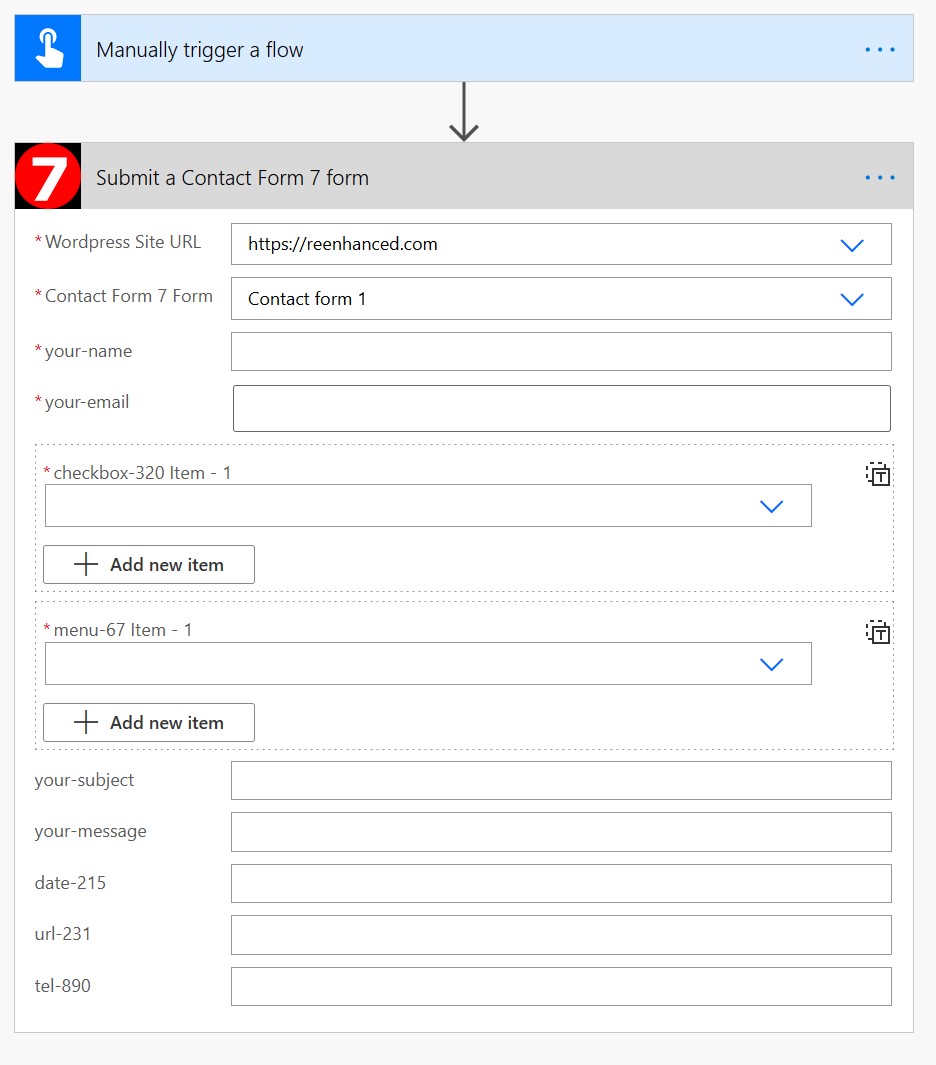
Going both directions: flows can also submit Contact Form 7 forms, so external events feed data back into your WordPress site
Built for the most popular form plugin on Earth
Contact Form 7 powers 5+ million WordPress websites. Power Form 7 works with the forms you already have, with no rebuilding and no migration.
Works with every existing Contact Form 7 form on your site, automatically
Supports file uploads, including multiple files per submission
Handles dropdowns, checkboxes, numbers, and pipes correctly, with proper data types
Submissions reach Power Automate even when WordPress email fails, so a mail server hiccup never loses you a lead
Your submission data travels directly from your site to Power Automate. It never passes through our servers
Up and running in minutes
No developer required. If you can install a WordPress plugin, you can do this.
Download the plugin .zip after purchase and install it like any other WordPress plugin
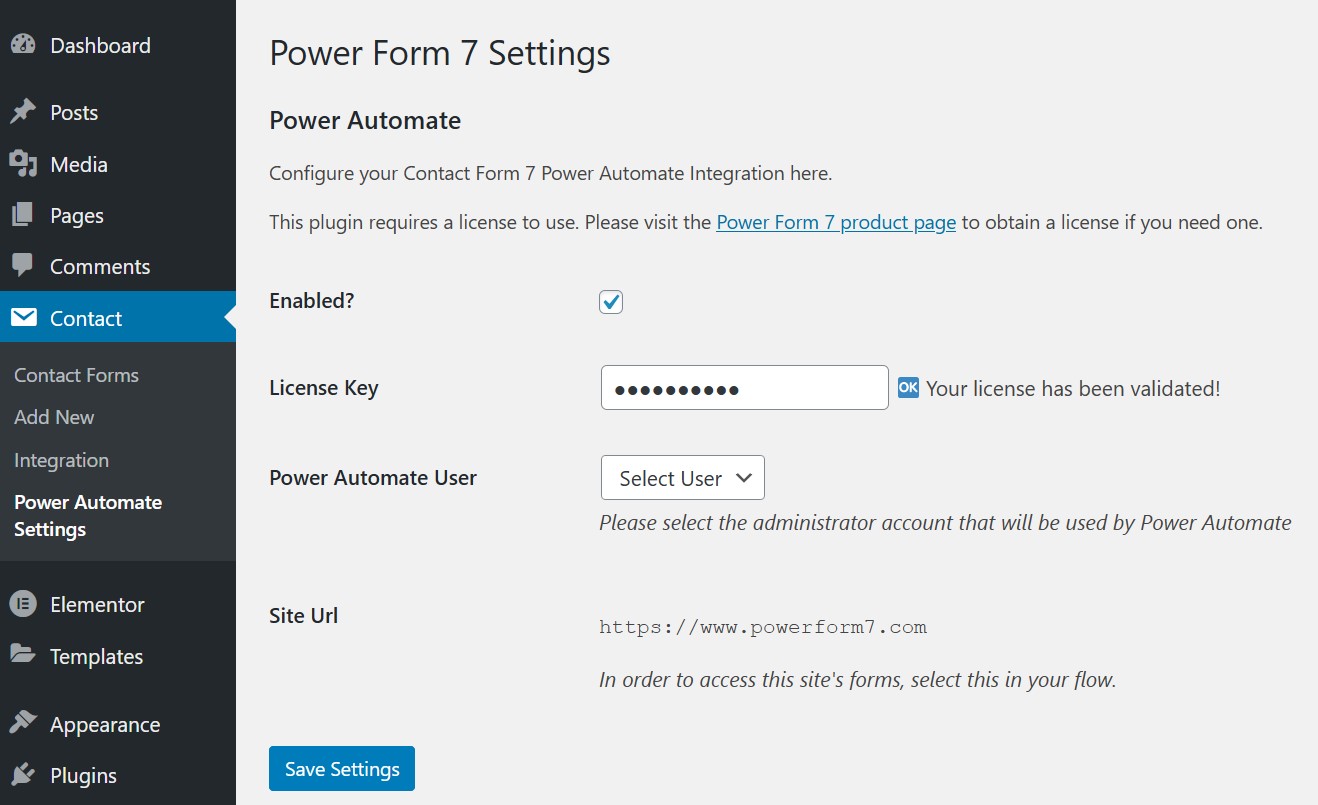
Activate it, then enter your license key under Contact → Power Automate Settings
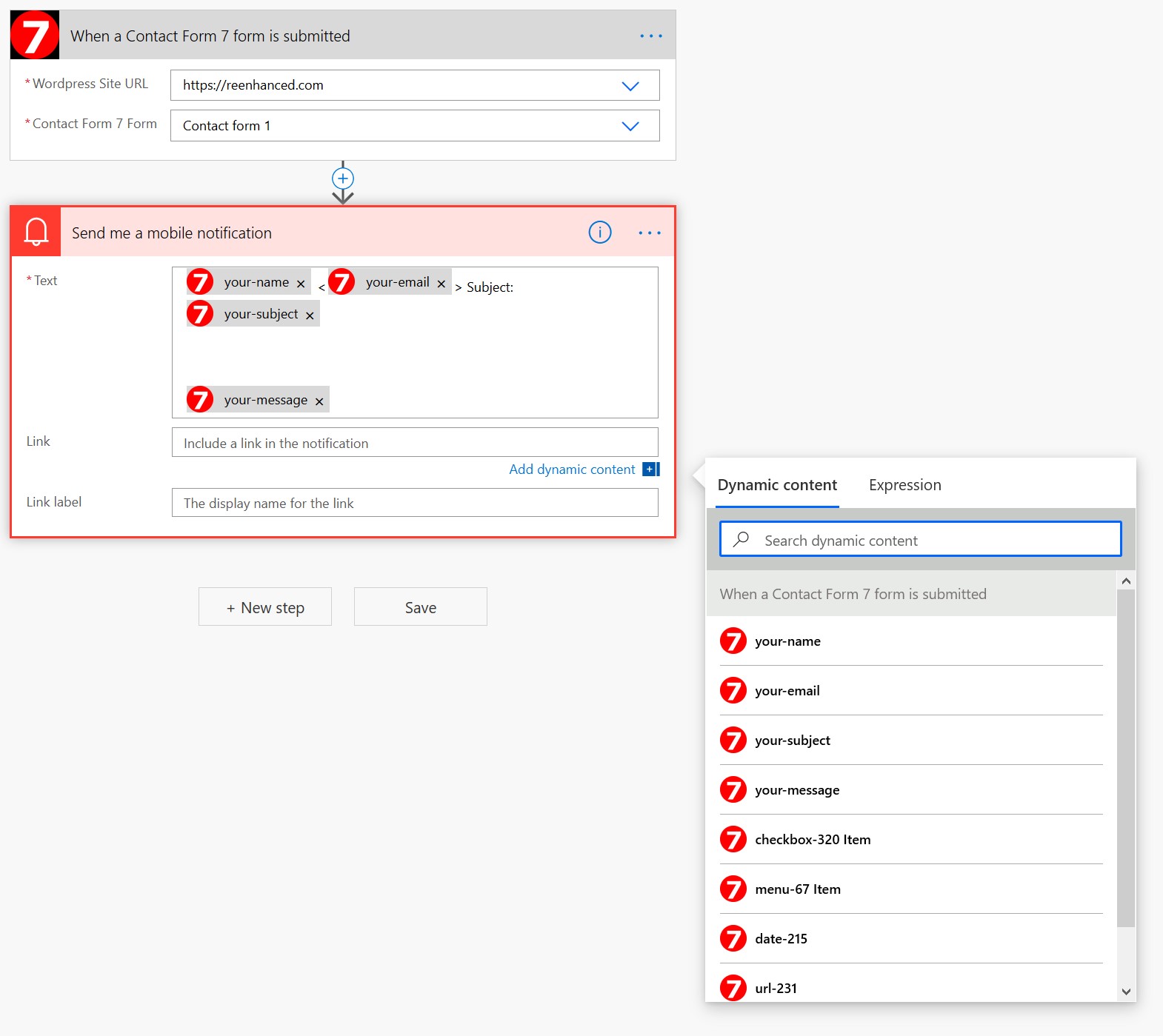
In Power Automate, choose the trigger “When a Contact Form 7 form is submitted,” pick your form, and build your flow. Your form fields appear as dynamic values, ready to use

That’s all it takes. Every form on your site is now available as a trigger, and every form can be submitted from a flow.

Already installed it from the WordPress plugin directory?
Even better: you can skip installation entirely. After purchase, just enter your license key on the settings page and your forms connect to Power Automate immediately.
Frequently Asked Questions
Is there a free trial?
Yes. Use coupon code onemonthfree with the 1-month, 1-domain version at checkout for a full month free. If you decide to keep it, upgrade your subscription anytime from the My Account area of this website.

Does this require a Power Automate license?
Flows run under the account of the person who creates them, so the user who builds your flows needs a Power Automate license, which many Microsoft 365 plans already include. Each flow can process an unlimited number of form entries. Each form needs its own flow (you can attach multiple flows to one form, but not multiple forms to one flow).

Why is a license required for the plugin?
Your plugin install acts as an on-premises data gateway for your WordPress site, communicating with our gateway server to reach Power Automate securely. The license keeps that gateway infrastructure running and gets you support and updates.

Are file uploads supported?
Yes. File uploads are fully supported, including multiple files per submission.

Can I use this on a site inside my internal network?
Yes, as long as Azure servers can reach your website and your website can reach Power Automate. If you’re in a restrictive environment, contact us and we’ll give you the specific details to enable access.

Are free-text values (like an “other” option on a dropdown) supported?
Not yet, but they’re planned for a future release. All standard field types, including files, work today.

What happens to my data?
Your actual form submissions travel directly from your website to Power Automate. They never pass through our servers. Only form metadata (field names and structure) moves through our gateway so Power Automate knows how your forms are built. We count how often actions are used, never what data they carry. Your data is confidential and will never be accessed.

Start automating your forms today, free
Pick the 1-month, 1-domain license above, enter coupon code onemonthfree at checkout, and your first month costs nothing. In ten minutes your Contact Form 7 submissions can be landing in Excel, Teams, or your CRM automatically, every time.

If you have questions before you buy, email us at [email protected] and we’ll get back to you quickly.

Additional information

Number of Domains

1, 5, 10

Subscription Length

Annual, Monthly